| Parent |
| • | There is a 20 second delay before anything is seen on the display. Be patient. |
| • | At power-on time, this AT version of the Supersoft/Landmark ROMs is known to erroneously beep the speaker with a pattern that the user's manual (page 40/41) indicates "Cannot initialize monitor". |
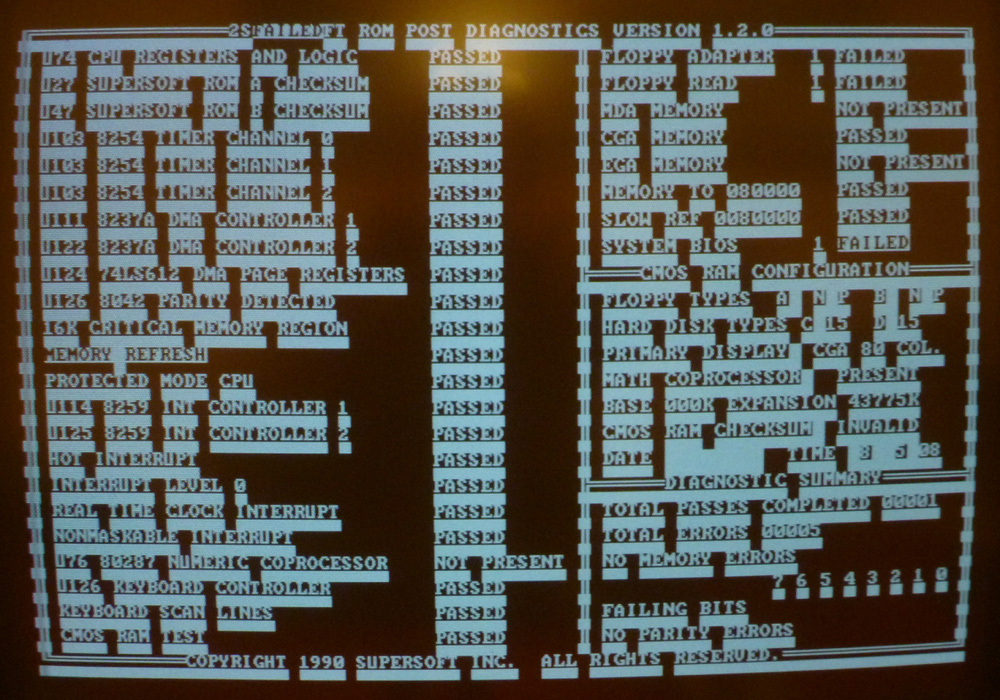
| • | Some video cards will not work with this AT version of the Supersoft/Landmark ROMs. The user's manual indicates a requirement for MDA (monochrome) or CGA video cards. - My functional IBM MDA card does not work (no beeps, no display). My second functional IBM MDA card does the same. - My IBM CGA card works. - My IBM EGA card will display, but poorly. - My unbranded clone MDA card works. - My unbranded clone CGA card works. - VGA cards do not work. |
| • | On a 6 MHz 5170, the PROTECTED MODE CPU test takes 25 seconds to complete. Be patient. |
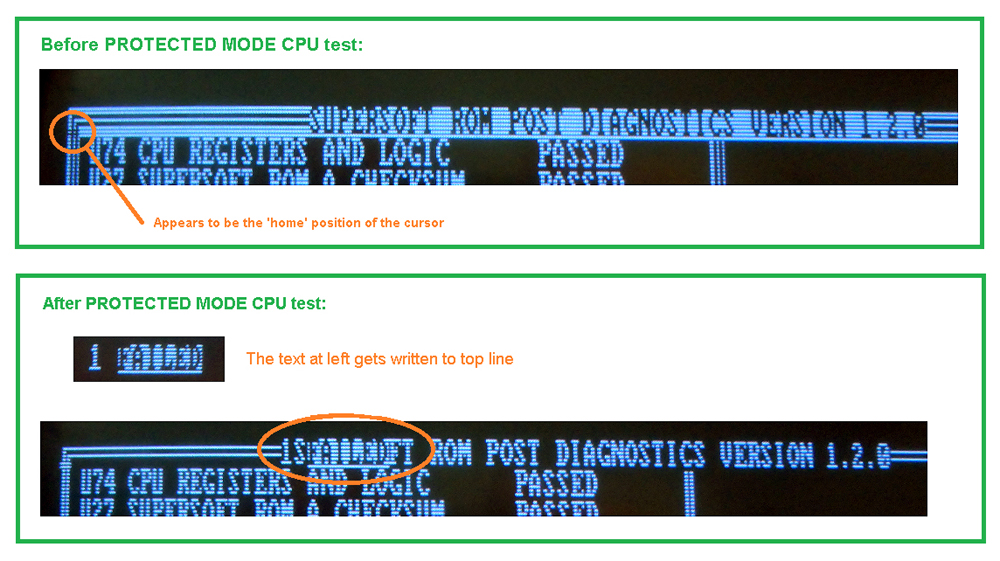
| • | On my fully functional IBM 5170 motherboards, the PROTECTED MODE CPU test does something odd. Three things happen: 1. On the speaker, I hear the error pattern for "Cannot initialize monitor". 2. If I am using an IBM CGA video card, I see what appears to be 'CGA snow'. 3. "1 FAILED" is written to the top line. (photo) The PROTECTED MODE CPU test is then indicated as "PASSED", then testing continues. |
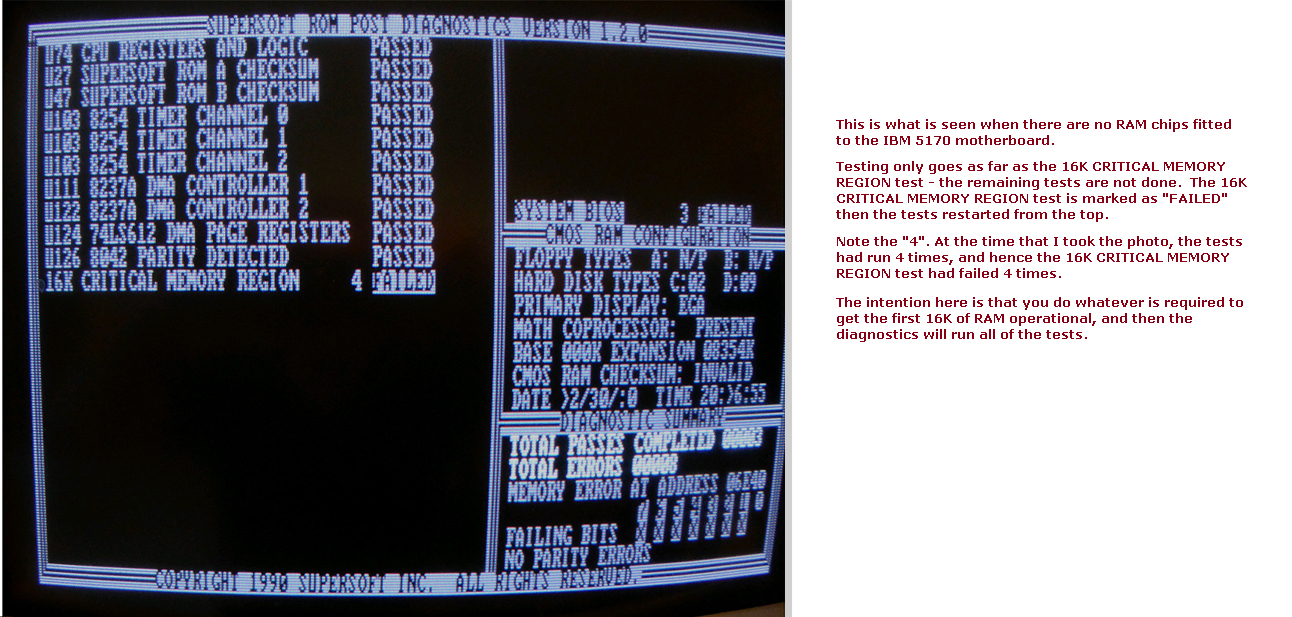
| • | The Supersoft/Landmark ROMs even generate a display if there is no RAM on the motherboard. More information here. |
| • | The setting of SW1 on the 5170 motherboard does not matter. |
| • | No battery required. |
| • | Does not output POST codes to port 80h. |